What are you looking for?
Get help straight from our team...

Activities
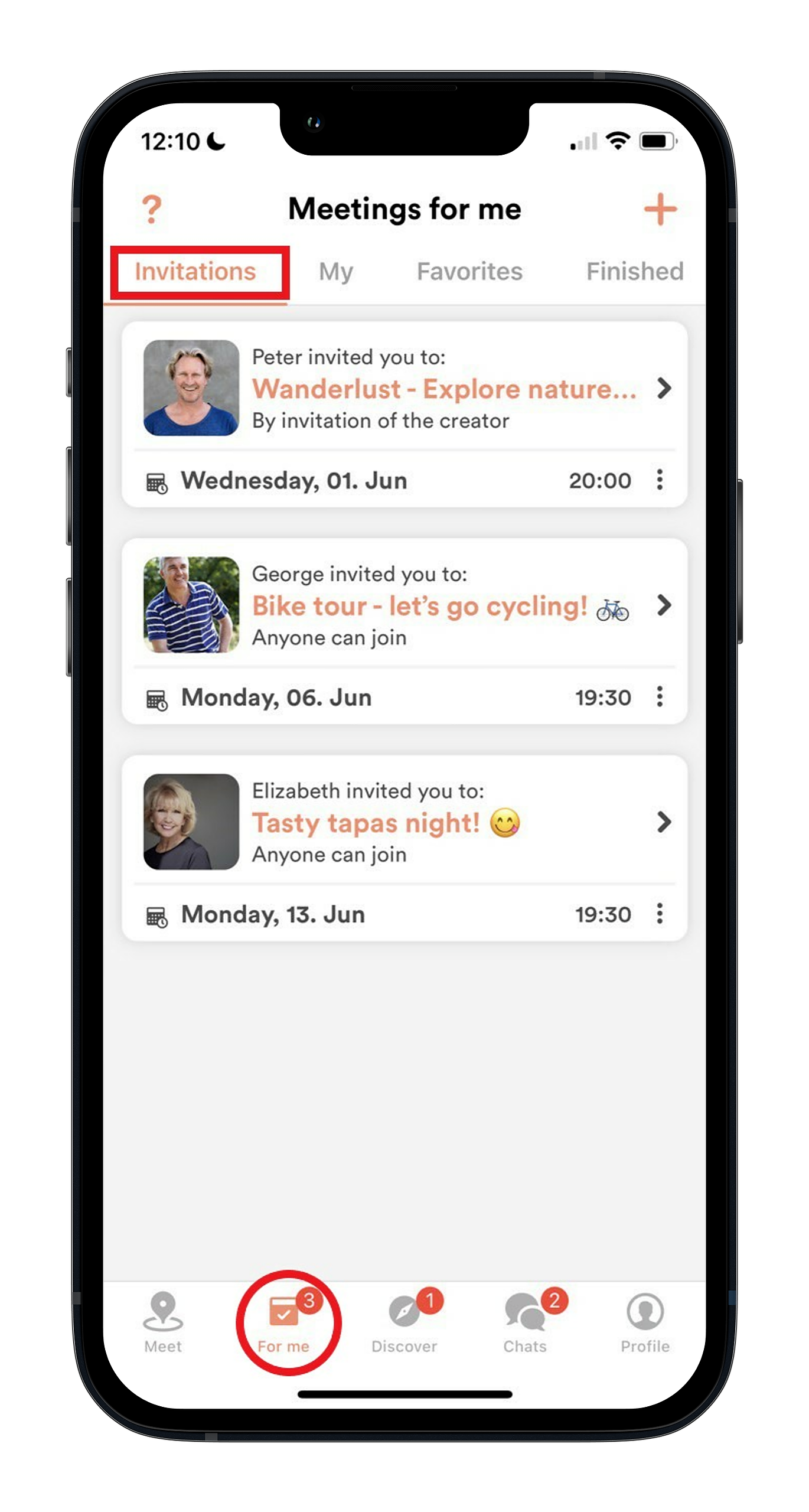
Where do I find activities I’ve been invited to?
Updated 1 week ago
If you’ve been invited to an activity and want to see more, go to the “For you” tab at the bottom of the screen in your Meet5 app. From there, you’ll see a tab titled invitations, where all the activities you’ve been invited to can be viewed, listed by date.