
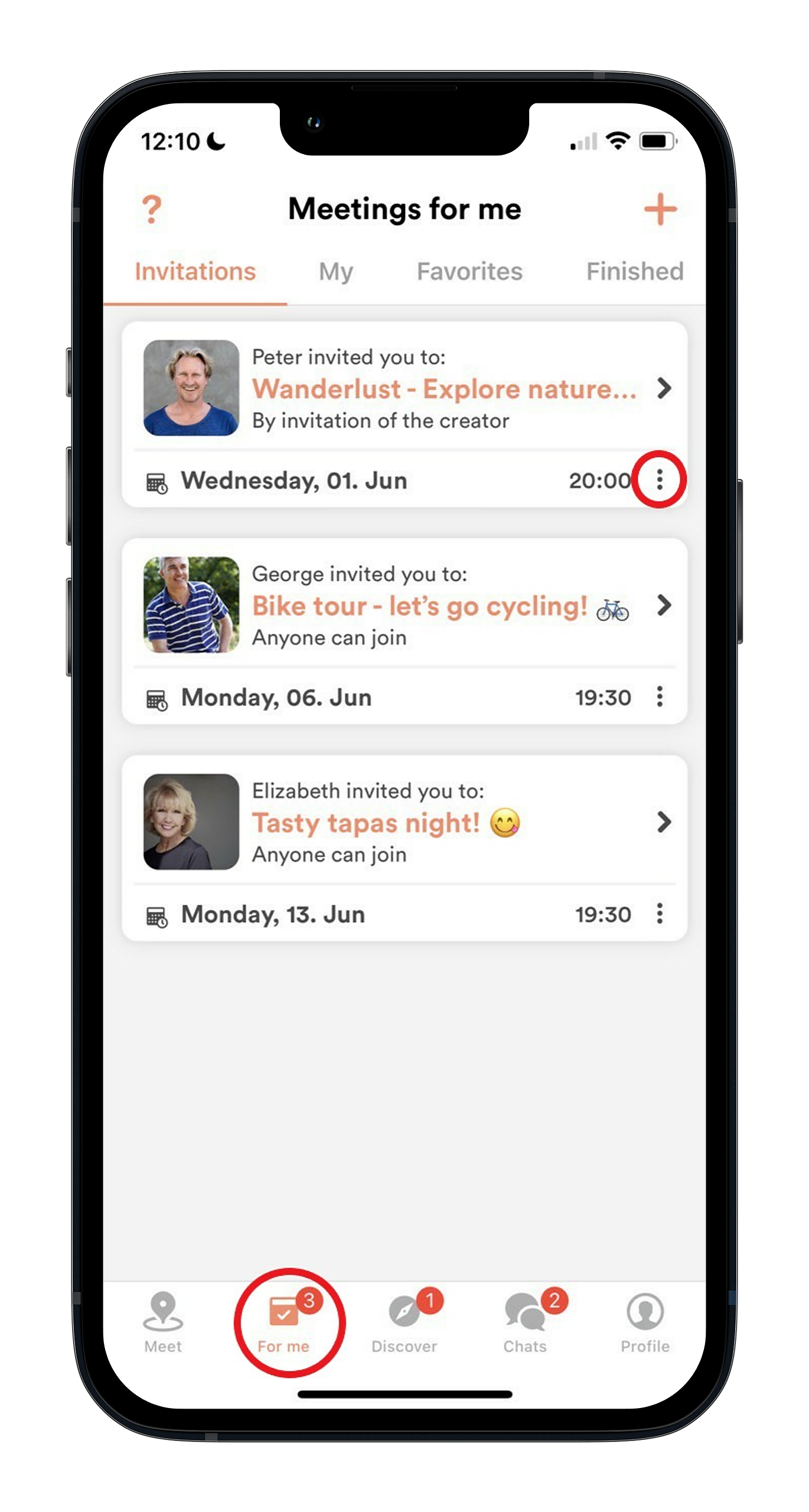
You don’t need to respond to all invitations, but yes, you can decline them. In the For Me tab, tap the three dots next to the invitation, and tap decline. You can give a reason (minimum 80 characters) if you’d like, but it is not required.

What are you looking for?
Get help straight from our team...
Tech Support & App Functions
Last updated on 04 Nov, 2025
You don’t need to respond to all invitations, but yes, you can decline them. In the For Me tab, tap the three dots next to the invitation, and tap decline. You can give a reason (minimum 80 characters) if you’d like, but it is not required.
Related Articles