

If your plans change and you're no longer able to attend an activity you created, you can easily hand over the organizer role to a specific person in the group. To avoid confusion, discuss and agree in the group chat who wants to take over. Once you've found someone to take over, you can appoint them organizer before you leave the activity.
To do this, tap the three dots at the top right of your activity, go to the participant list of your activity, tap the three dots in the top right, and select the option "Assign as organizer." This way, the activity can still occur and the group still meet as planned.
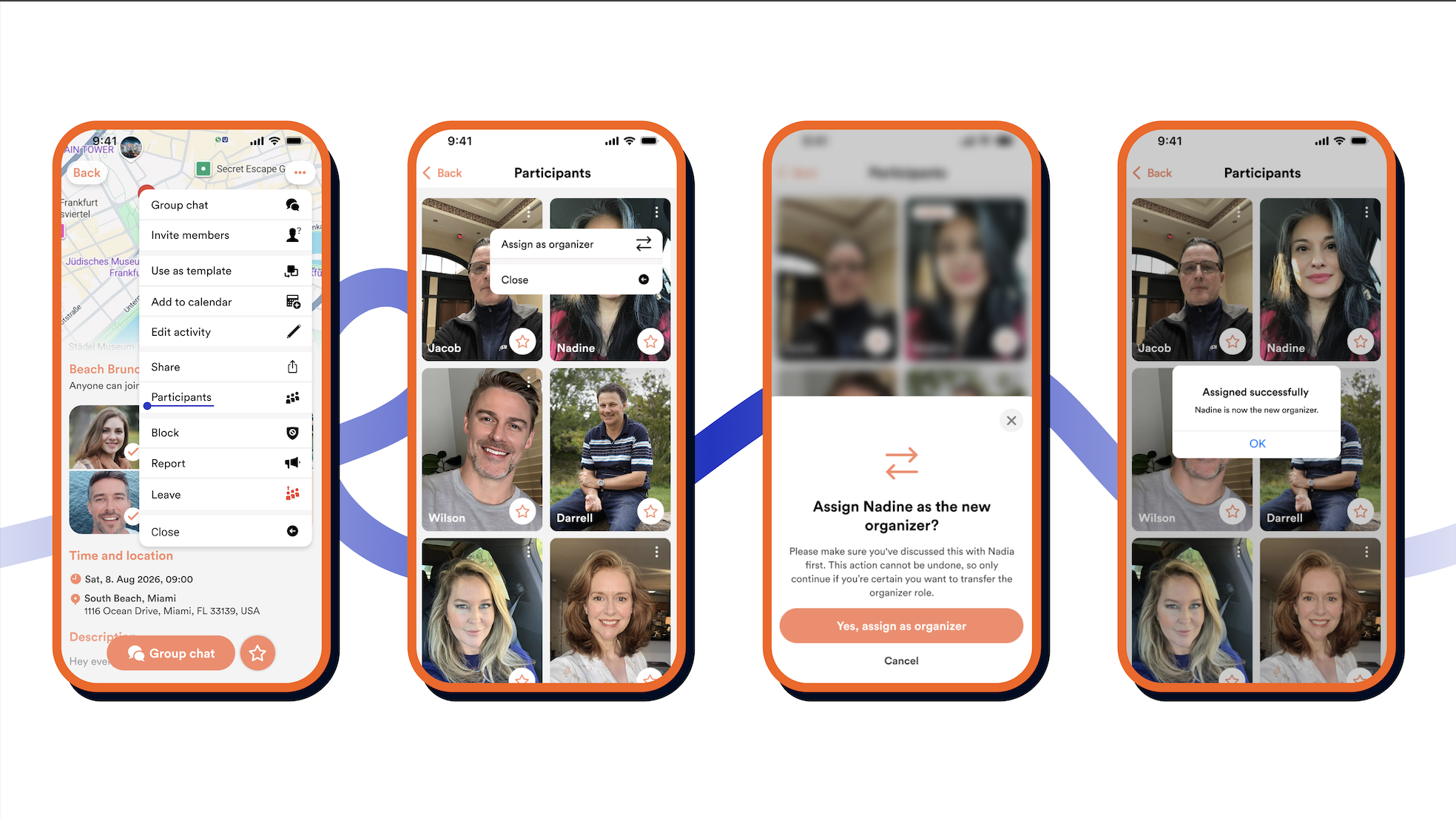
This means that if someone tries to leave their own activity without first arranging a handover, a pop-up will appear directing them back to the chat. This way, no one becomes an organizer out of nowhere.
Our tip: hand over the activity to someone who genuinely wants to take it over. This way, you can be sure the activity will be a success even without you there!